
Imagine: you live in the Czech Republic, everything is going as usual, but suddenly it turns out that the Ministry of the Interior (MVD) sent you an important message about your residence permit several months ago. You didn't receive it — or rather, you didn't open it. But according to the law, it is considered delivered. The deadlines have passed, and the consequences will be extremely unpleasant.
It is precisely to prevent this from happening that the datová schránka (Czech for "data box") exists — a state system for electronic document exchange, which has long become the main official communication channel between citizens, entrepreneurs, and state authorities in the Czech Republic. For many migrants, this is still an unfamiliar or intimidating word, but it is not difficult to understand.
The datová schránka has existed since 2009, when Act No. 300/2008 Coll. on electronic services and authorized conversion of documents came into force. Since then, the system has grown enormously: in 2025, the datová schránka system surpassed the mark of 1.5 billion delivered messages. Electronic communication between citizens, companies, and government bodies has long become a daily norm in the Czech Republic. And if you live here — you should be part of this norm.
Who Uses It and How
Legal Entities and Companies
If you are a director or owner of a Czech company (s.r.o., a.s., etc.), you already have a datová schránka — it is created automatically at the moment of the company's registration in the commercial register. The Ministry of the Interior (MVD) sends the access data by registered mail — exclusively in person to the director. There is no choice: the datová schránka is mandated by law, and all state authorities are obliged to use it when communicating with your company.
OSVČ — Self-Employed Individuals
Since 2023, a datová schránka has been automatically created for all OSVČ (self-employed individuals) registered in the Czech Republic, including foreigners. Since 2023, entrepreneurs are obliged to use it when communicating with the financial administration — particularly when filing tax returns. If you work on a živnostenský list (trade license) — you should already have a datová schránka. If you have never opened it before, now is the time to do so.
Natural Persons
This is where it gets interesting. A datová schránka for a natural person is not mandatory — but it will be useful for any communication with authorities that does not relate to entrepreneurship: from applying for a new driver's license to requesting a criminal record certificate or applying for unemployment benefits.
Formally not mandatory — but for migrants, it is practically a necessity. A datová schránka for a natural person can be created upon application for both Czech citizens and foreigners. Therefore, you have every right to have one, and then the Ministry of the Interior (MVD), courts, and tax office will use it to communicate with you as soon as it appears. The alternative is paper letters that get lost, arrive late, or don't arrive at all, especially if you have changed your address. A datová schránka means reliability and control.
Fiction of Delivery: The Most Important Legal Nuance
If you do not regularly log into your datová schránka, a so-called fiction of delivery occurs: every message is considered delivered no later than the tenth day after it has been placed in your mailbox.
In other words: a letter from the Ministry of the Interior (MVD) arrived in your datová schránka, but you did not open it. Perhaps you forgot, perhaps you were on vacation, perhaps you simply didn't know. But from a legal point of view, you received it. The incoming letter will still be officially considered delivered on the 10th day from the moment of delivery, even if the user has not logged into the datová schránka and has not seen the letter.
For a person with a residence permit or in the process of extending it, this can lead to serious problems. A missed notification about the need to provide documents, a missed deadline to respond to a request, ignoring a decision from the Ministry of the Interior (MVD) — all this has formally happened, even if you knew nothing about it.
To avoid this, you need to set up notifications correctly. You don't have to check your datová schránka every day, but you must correctly set up notifications for received messages to your regular email (free) or by SMS (cost of SMS — 3 CZK).
How to Get a Datová Schránka
Method 1: Online via the Citizen's Portal
The fastest way is if you have an electronic identification method. On the portal mojedatovaschranka.cz or by logging in via Identita občana (using bank identity, eObčanka, Mobile Key, and other methods), the datová schránka is created immediately after submitting an online application and becomes available right away.
Bank identity (bankovní identita) is probably the most accessible option for migrants: it is available to clients of most Czech banks, including Česká spořitelna, ČSOB, Komerční banka, Raiffeisenbank, and others. Log in via internet banking — and you're all set.

Method 2: via Czech POINT
This is the most universal option, suitable for absolutely everyone — even those who do not have electronic identification. At Czech POINT service centers, you can apply for the creation of a datová schránka for a natural person. The applicant presents a personal identification document. The window clerk fills out the application electronically, then prints it and gives it to the client for review and signature.
Czech POINT operates at post offices, municipal offices, and district office branches throughout the Czech Republic — you can find the nearest one on the website czechpoint.cz. The datová schránka is created free of charge within 3 business days from the date of application.
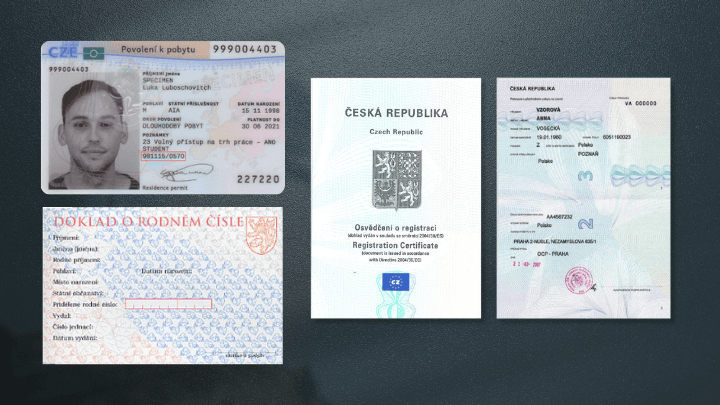
A foreigner only needs to present a valid document — passport, residence permit card, or permanent residence card. A Czech national passport is not required.
Method 3: via the Ministry of the Interior (MVD)
You can submit an application in person at the MVD reception, send it by mail with a notarized signature, or by email — with a qualified electronic signature to posta@mvcr.cz. This method is a bit longer and serves as a backup.
The datová schránka is usually created within three days of receiving the application. The username and password will be sent to the datová schránka of the natural person (if it already exists), or by mail or email.
After receiving the data, you need to go to the website www.mojedatovaschranka.cz and activate the datová schránka. To activate it within 15 days of receiving the letter from the Ministry of the Interior (MVD) with access data, you need to enter the login and password in the corresponding fields on the website www.mojedatovaschranka.cz and log in. The datová schránka is activated automatically after the first login.
How to Use: Interface, Apps, Notifications
Main Website
The main interface is www.mojedatovaschranka.cz. You can log in in several ways: using a username and password, via bank identity, or via Mobilní klíč eGovernmentu.
The invitation was sent by mail and contained a login — a short code of letters and numbers that will always be valid. The complex password provided is only for the first login, after which each user sets their own convenient password. A personal password can contain from 8 to 64 characters, must include at least one uppercase and one lowercase letter, and at least one digit.
By default, the password is valid for 90 days — after which the system will ask you to change it. You need to remember this so you don't get locked out at the most inconvenient moment.
Datovka Mobile App
Datovka is an app for accessing datová schránka for iOS and Android devices. The app is available for free and without ads. Through it, you can read and send messages, view documents — everything the same as through a browser, but more conveniently from your phone.
Mobilní klíč eGovernmentu App
This is a separate app that performs two important functions: first, it allows you to log into your datová schránka without entering a password — just confirm the login in the app. Second, it allows you to receive push notifications on your phone about new messages in your datová schránka. This app is the best way not to miss anything important.
Notification Settings
If multiple users use the datová schránka, each of them has their own settings — each can independently configure the notification method: by email or by SMS.
Setting up email notifications takes a minute: in the section Nastavení → Notifikace → Notifikace e-mailem, enter your address — and you will receive a notification for every new email. This is free. SMS notifications cost 3 CZK per message.
Two-Factor Authentication
In the "Login Settings" section in the left menu, you can increase the security of your datová schránka by adding a second verification step upon login: an SMS code or an electronic certificate. This is recommended for people who receive important government documents through their datová schránka.
What Kind of Notifications and Why You Can't Miss Them
Documents for Residence Permit and Permanent Residence
As soon as you have a datová schránka, the Ministry of the Interior (MVD) begins to use it as the primary channel for delivering official documents. From the moment the datová schránka is activated, all Czech state authorities will send letters and documents through it. A message sent to the datová schránka has the status of a registered letter.
This means that any decision on your application for extension of your residence permit or permanent residence — approval, refusal, request for additional documents — will be sent here. Not to your postal address, not in paper form, but to your datová schránka.
Other Important Senders
Letters may be sent through the datová schránka:
From the Financial Administration (Finanční úřad) — notifications, decisions, requests regarding taxes.
From the Czech Social Security Administration (ČSSZ) — regarding social contributions and payments.
From courts — summons and procedural documents.
From employers and companies — if you have given permission for komerční zprávy (commercial messages).
From municipal authorities — notifications from city administrations and district offices.
You Can Send Too
The datová schránka works both ways. You can submit applications to the Ministry of the Interior (MVD), contact the tax office, request statements and certificates without visiting the institution. If you connect your datová schránka to the Citizen's Portal (Portál občana), you can receive various statements — for example, a registry extract.
How the Datová Schránka Simplifies Life
Perhaps the main practical advantage is that you stop going to the post office for registered letters from government agencies. Everything comes to one secure mailbox, accessible from a computer or phone from anywhere in the world. Going on vacation to your home country? An important letter won't get lost — it will wait for you in your datová schránka.
The datová schránka provides legal certainty: authorities are confident that they are communicating with a verified person. Unlike regular email, it has legal force. A document received or sent through the datová schránka is equal to a paper letter in the eyes of the law.
An electronic document from a Datová schránka (data box) can be changed into a paper document, and it will have full legal power. This is called autorizovaná konverze dokumentů (authorized document conversion) and is done at a Czech POINT. It also works the other way: a paper document can be changed into an electronic one.
Creating a Datová schránka is free. Receiving letters from government offices is free. Sending one message in the system costs 10 Czech crowns (8.26 crowns without VAT). From January 1, 2024, it is also possible to send large files up to 100 MB. Sending messages over 20 MB will cost 30 Czech crowns. For natural persons who mainly receive and do not send messages, the costs are almost zero.
All received and sent documents are saved in the system. You can always go back and find a needed letter, check the delivery date, or prove that you received a document. For those who deal with government offices in the Czech Republic, this is very valuable.
Common Mistakes and Myths
"I am a natural person – I don't need it."
This is the most common mistake. Even if you are not a business owner or a company director, if you live in the Czech Republic, apply for a residence permit extension, pay taxes, or interact with government offices, a Datová schránka makes your life easier and safer. And if you are OSVČ (Czech self-employed status) – it is required by law.
"Set it up and forget it."
This is probably the most dangerous mistake. We have already written about the "fiction of delivery": if you do not open a letter within 10 days, it is considered delivered. Setting up a Datová schránka without setting up notifications means creating a trap for yourself. Set up email notifications right after registration: it takes two minutes and removes all risks.
"I won't send anything – why do I need it?"
Even if you plan to use the Datová schránka only to receive letters, it is already a huge value. You will know about everything that government offices send you in real time. Not a week later when your neighbor finally picks up the mail from the common mailbox.
"I can set a password and forget it."
By default, the password for the Datová schránka is valid for 90 days. After that, the system will ask you to change it. If you do not do this on time, access is temporarily blocked – and it is at this moment that an important letter might arrive. Set a reminder in your calendar or set up login via Mobilní klíč (Mobile Key) – then the password problem disappears.
"It's difficult and confusing."
The interface of the Datová schránka is indeed not the most intuitive at first glance, especially if you don't read Czech. But you can understand it in one evening – and after that, it's just another mailbox that you check periodically. Recently, new functions have appeared in the system: a single login for multiple Datová schránky, a more convenient message preview, and improved notifications.
Useful links:
Main portal: www.mojedatovaschranka.cz
Detailed information and instructions: info.mojedatovaschranka.cz
Find the nearest Czech POINT: www.czechpoint.cz
Datová schránka hotline: 954 200 200